
When organisations look for modern hiring tools, myInterview and ThriveMap often come up in the same conversation. Both platforms aim to help employers find and select the right candidates, but they solve very different problems.
myInterview is a video interviewing and AI-powered screening platform that automates candidate shortlisting using CV data, chat insights, and video responses. ThriveMap, by contrast, focuses solely on Realistic Job Assessments that immerse candidates in a simulation of the role, giving them a preview of the job and an objective fit score.
If you’re comparing myInterview with ThriveMap, this guide gives you a detailed, neutral breakdown of how they differ so you can choose the right solution for your hiring process.
| Feature | ThriveMap | myInterview |
|---|---|---|
| Core offering | Realistic job simulations and day-in-the-life tasks | Video interviewing platform + AI-powered CV/chat/video screening |
| Candidate experience | Single, immersive, mobile-first simulation | Multiple steps: CV parsing, chat pre-screen, video interview |
| Scoring | Objective 0–100% fit score benchmarked against applicant pool | AI-powered real-time candidate scoring combining CV + video + chat |
| Customisation | Fully bespoke or Smart Assessment Builder, branded environments, AI-generated video | Customisable screening filters, intro videos, branding options |
| Focus | Improving job fit and reducing early attrition | Speeding up candidate screening and shortlisting |
| Interviewing | Not provided (assessment-only) | One-way video interviews, interview scheduling, chat pre-screening |
| Pricing model | Transparent annual subscription with unlimited candidates | Subscription-based with tiered plans; pricing typically scales with usage |
| Best suited for | High-volume, entry-level, frontline hiring where job realism matters | High-volume or remote hiring where video interview automation is key |
myInterview is a next-gen hiring platform that focuses on video interviews and AI-powered candidate screening. It combines multiple data sources to build a more complete picture of each applicant:
📄 CV and application data: automatically parsed to extract relevant skills and experience.
💬 Chat-based pre-screening: a virtual assistant engages candidates in conversation to confirm interest and gather information.
🎥 Video interviews: candidates record responses to structured questions asynchronously.
🧠 Skills and soft skills screening: optional Emotional Intelligence and Logical Reasoning tests.
🤖 AI-powered scoring: combines CV, chat, and video data into a real-time candidate score for quick decision-making.
myInterview also offers practical features for busy TA teams:
📅 Scheduling automation: reduces back-and-forth by letting candidates book interview slots directly.
🎯 Customisable screening filters: target candidates with specific skills, certifications, or experience.
📊 Robust reporting: detailed analytics and candidate monitoring with exportable reports.
🏷️ Branding options: add your logo, colours, and intro videos to create a consistent candidate experience.
myInterview is a powerful tool for automating candidate screening and video interviews, but there are some potential challenges:
🎥 Subjectivity in video screening: Even with AI scoring, video reviews can introduce unconscious bias or candidate discomfort.
🚪 Candidate drop-off risk: Multi-step processes (CV parse, chat, video) can lead to higher candidate drop-off, especially in frontline or entry-level roles.
🏢 No built-in job preview: myInterview focuses on screening, not expectation-setting. Candidates may still accept offers without a clear understanding of the role, leading to early attrition.
⏳ Complexity for some roles: For straightforward, high-volume frontline hiring, video interview steps can be overkill and slow down time-to-hire.
ThriveMap is purpose-built for high-volume hiring where candidate fit matters most. Instead of multiple steps and video interviews, ThriveMap uses one streamlined, immersive assessment that mirrors the job itself.
How it works:
🗓️ “Day in the life” assessment: Candidates complete a simulation that replicates real tasks and scenarios.
Employers can choose between:
🛠️ Fully bespoke assessments: Co-designed with ThriveMap’s team.
⚡ Smart Assessment Builder: A fast, self-serve way to create tailored assessments.
🎥 Interactive & realistic: Assessments include over a dozen interactive question types, plus AI-generated video for realism.
📊 Objective scoring: Each candidate receives a 0–100% fit score, benchmarked against the real applicant pool.
📈 Deep insights: Reports provide dropout points, withdrawal reasons, and performance on each attribute.
✅ Realistic job preview: This approach not only screens for fit but also acts as a realistic job preview, reducing early attrition by helping candidates opt out before they accept an offer.
AI-enhanced video interviewing, CV parsing, chat pre-screening.
A single job simulation designed to measure role fit objectively and give candidates a preview.
Multiple steps including chat and video, which can feel time-consuming for some candidates.
One engaging assessment, role-appropriate length (sometimes as short as 7 minutes).
AI-generated scores combine multiple data points but may require recruiter review and subjective interpretation.
Objective, percentage-based fit score; no human review needed.
Focuses on shortlisting efficiently but does not explicitly address job realism or retention.
Designed to reduce early attrition by aligning expectations upfront.
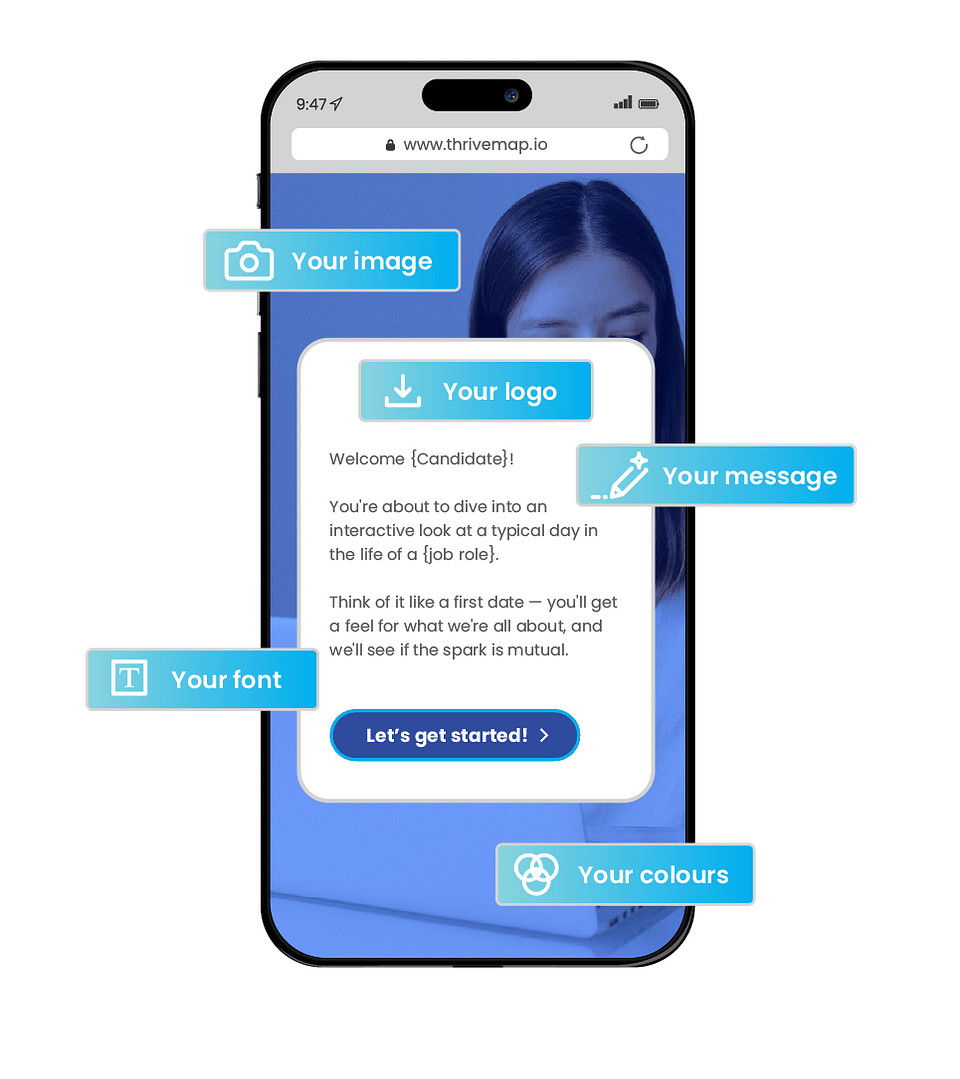
Both offer strong branding options, including logo, colours, and intro videos.
Goes further by incorporating workplace imagery and AI-generated video to create an immersive simulation.
Subscription-based, often tiered by usage (candidates/interviews).
Transparent annual pricing with unlimited candidate use for defined roles — predictable for high-volume hiring.


A fast-growing hospitality business used video interviews to pre-screen candidates but found hiring managers spending hours reviewing recorded answers.
After switching to ThriveMap’s job simulation assessment, shortlisting became fully automated. Candidates got a clear sense of the job, leading to better alignment and fewer no-shows.
Both platforms help employers save time on screening — but they serve different purposes.

